The Polymarket app brings the excitement of prediction markets straight to your smartphone. Whether you’re interested in sports, elections, economics, or any other real-world events, the app makes it easy to trade shares, track market movements, and stay connected.
Top Polymarket Alternative for October
With the Polymarket app, you can expect a smooth, mobile-friendly experience optimized specifically for rapid market execution, plus a few app-exclusive extras. In this guide, we’ll walk you through the basics of Polymarket, show you how to download the app, and share tips to get the most out of it.
Polymarket is a
prediction market platform
that allows users to trade shares on the outcomes of real-world events, from sports and elections to economic indicators, and plenty more. Unlike traditional sportsbooks, you’re not placing fixed-odds bets. Instead, you buy “yes” or “no” shares in a given outcome, and the price of each share reflects the market’s current probability.
These prices, often referred to as
Polymarket probabilities, fluctuate in real time as more users buy or sell positions. This means you can strategically enter or exit markets before the event concludes to lock in profits or limit losses. When the event settles, shares that correspond to the correct outcome pay out at $1 per share, while incorrect shares become worthless.
Here’s a quick summary of the pros and cons of Polymarket prediction markets:
Pros and Cons
Safe and legal in the US via CFTC oversight
Wide variety of prediction markets
Downloadable iOS & Android app
Push notifications & biometrics
U.S. web platform remains geoblocked (App only)
Does Polymarket Provide an iOS or Android App?
The Polymarket app is available on both iOS and Android devices, allowing you to track and trade prediction markets directly from your smartphone. However, the signup process currently differs depending on your operating system. While the platform officially dropped its U.S. waitlist for iOS users on May 12, 2026, the Android app on the Google Play Store is still rolling out via a waitlist framework, meaning new Android users will either need to wait for access or use a valid platform invite code to start trading immediately.
How to Download the Polymarket App on iOS
The iOS app lets you access Polymarket directly from your iPhone or iPad. Follow these simple steps to get started:
Open the App Store on your device.
Search for “Polymarket”.
Tap Download or Get.
Wait for the app to install, then open it.
Log in or create a new account to start trading.
How to Download the Polymarket App on Android
Android users can also enjoy the mobile Polymarket experience. Here’s how to download it:
Open the Google Play Store on your Android device.
Search for “Polymarket”.
Tap Install.
Once installed, open the app.
Log in or create your account using a valid platform invite code to bypass the temporary Android waitlist and start trading.
Is the Polymarket App Legit and Safe for US Residents?
The Polymarket app is legally available to US residents aged 18 and above, and is fully regulated by the Commodity Futures Trading Commission (CFTC). This regulation and oversight help to ensure you receive a fair and safe experience on the app. You can also expect strong encryption to keep your data safe and secure.
The brand also has a strong reputation within the community. Just check their ratings and overwhelmingly positive user reviews in the app stores:
Google Play Store:
3.8-star rating with over 7,000 user reviews.
iOS App Store:
4.7-star rating with over 31,000 user reviews.
Many of these user reviews also praise factors that actually matter for your safety, including responsive support and secure payment processing.
How Easy Is the Polymarket Mobile App to Use?
Time for a quick Polymarket app review, and this time, we’re zeroing in on usability to see just how smooth the mobile experience really is. Firstly, the app offers a clean layout with simple navigation, as menu icons are clearly labelled and key actions (like buying or selling shares) are visible from the home screen. You’ll find markets sorted by category and filters that let you quickly find what you want.
This is true no matter how big or small your mobile device is; even tablets can use the app effortlessly, thanks to the responsive design. Furthermore, the overall performance is fast and smooth. The complex charts and real-time market data load instantly, and trades execute with minimal delay.
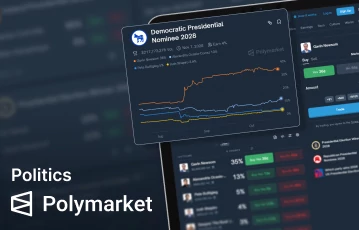
Explore Polymarket politics predictions
Unleash the fun with Polymarket app
Make the Most of Exclusive Polymarket App Features
The mobile app doesn’t just bring Polymarket sports prediction markets and politics prediction markets to your phone; it also offers exclusive features that make trading easier, faster, and more secure. Two standout features are biometric authorization and push notifications, both designed to improve your mobile experience. Here’s how they work:
Biometric Authorization
The Polymarket mobile app supports biometric authentication, such as fingerprint scanning or Face ID. This is important as it offers an additional layer of security, preventing unwanted access to your account. It also speeds up logins, eliminating the need to type passwords each time. This speed offers better convenience, but it also means you get quicker access to markets, allowing you to act immediately when markets begin to fluctuate.
Push-notifications
Push notifications on the Polymarket app keep you updated on important market movements and events in real time. You can receive alerts when your shares change value, when new sports or election markets open, or when significant news affects ongoing events. This ensures you never miss an opportunity to buy or sell at the right moment.
Here’s how you can turn on push notifications for the Polymarket app:
Open the Polymarket app on your device.
Tap your profile or menu and go to Settings.
Scroll to the Notifications section.
Toggle Push Notifications on.
Allow notification permissions if prompted by your device.
Customize alerts for market updates, news, or account activity.
Do You Actually Need to Download the App to Make Predictions on Mobile?
If you are located inside the United States, yes, downloading the official app is mandatory. While international users can freely choose to place trades via a standard mobile or desktop web browser, the main polymarket.com web domain remains completely geoblocked for domestic connections. To maintain compliance with CFTC regulations and state-level geofencing rules, U.S. traders must use the dedicated, downloadable mobile app infrastructure, which relies on secure device-level location verification.
Comparing the Mobile Site to the Mobile App
For eligible global users, choosing between platforms comes down to convenience, but for U.S. users, the app is the exclusive pathway. The table below highlights the main differences:
Feature
Mobile site
Mobile app
Access
Browser-based, no download needed
Requires download from App Store/Google Play
Performance
Fast and responsive, works on most devices
Optimized for smooth, native performance
Notifications
Limited to browser alerts
Full push notifications for market updates
Security
Standard website security
Biometric authentication available
Functionality
Browse and trade markets
Browse, trade, plus some app-exclusive features
Final Thoughts on the Polymarket Prediction Market App
If you’re someone who prefers to make your predictions on the go, the Polymarket mobile app is the perfect solution. It’s available on both Android and iOS devices, offering smooth performance and additional features like biometrics and push notifications. The one-tap access makes it convenient to access your account, whether you want to browse the markets, buy or sell positions, or simply manage your account. We would highly recommend giving it a download if you’re planning on sticking around for the long run at Polymarket.
Ready to check it out for yourself? Follow any of the links on this page to get started at Polymarket today.
Polymarket App FAQs
The Polymarket app lets you access prediction markets on a wide variety of real-world events, including various sports, political, and economic events. You buy “yes” or “no” shares on how likely an outcome is to happen for these events, and their prices are influenced by implied probability.
Yes. The app supports dark mode for better visibility in low-light environments. You can switch between light and dark themes directly in the app’s settings menu based on your preference.
No. There are no
Polymarket fees
for any of the available payment types. However, a small 2% fee is applied on net winnings when markets settle, so this is worth considering.
No, an active internet connection is required to access live markets and place trades. Offline access is limited to viewing cached data from your last session; real-time updates resume once connected again.
Yes, when creating your account, you will need to submit a valid ID, such as a passport or driver’s license. This helps to ensure you meet the eligibility requirements, including age and location.








 Explore Polymarket politics predictions
 Unleash the fun with Polymarket app